

Ingest uploads a folder or file from this computer straight to the server, without going through the mounted volume. It's the recommended way to offload camera cards and SSDs: progress stays on screen and, at the end, Storio checks the sizes of every file uploaded.
- In Source, click Choose… and pick the folder (or type the path).
- In Destination, pick the workspace folder it goes into. Empty = the workspace root.
- Click Start Upload.
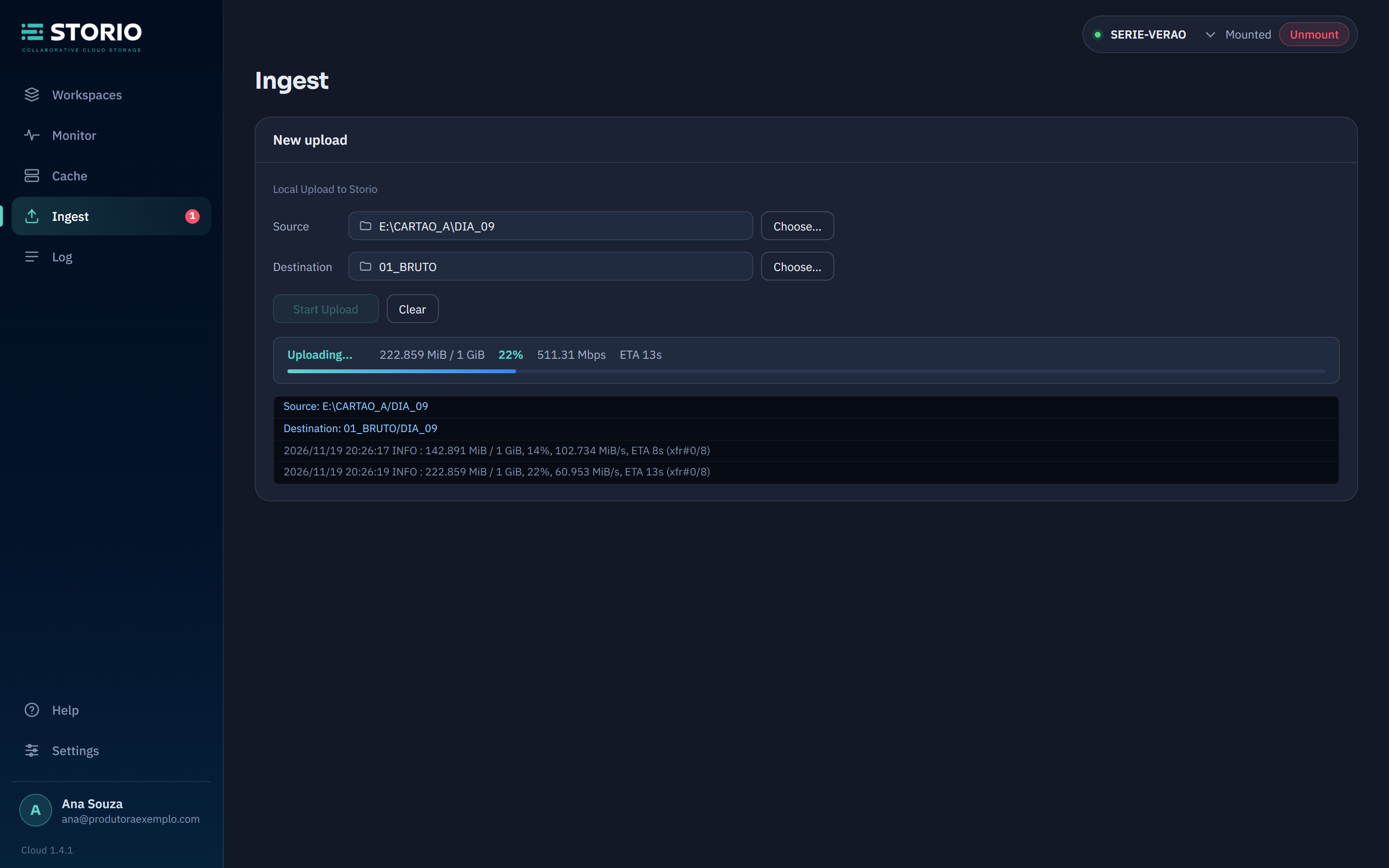
- The folder goes in as
<destination>/<folder name>..DS_Storeand._*files aren't uploaded. - The upload keeps going if you switch pages or reload the screen. There's one upload at a time per workspace.
- During an upload, Clear becomes cancel (click twice).
- If the upload goes 5 minutes without progress, it stops and tells you.
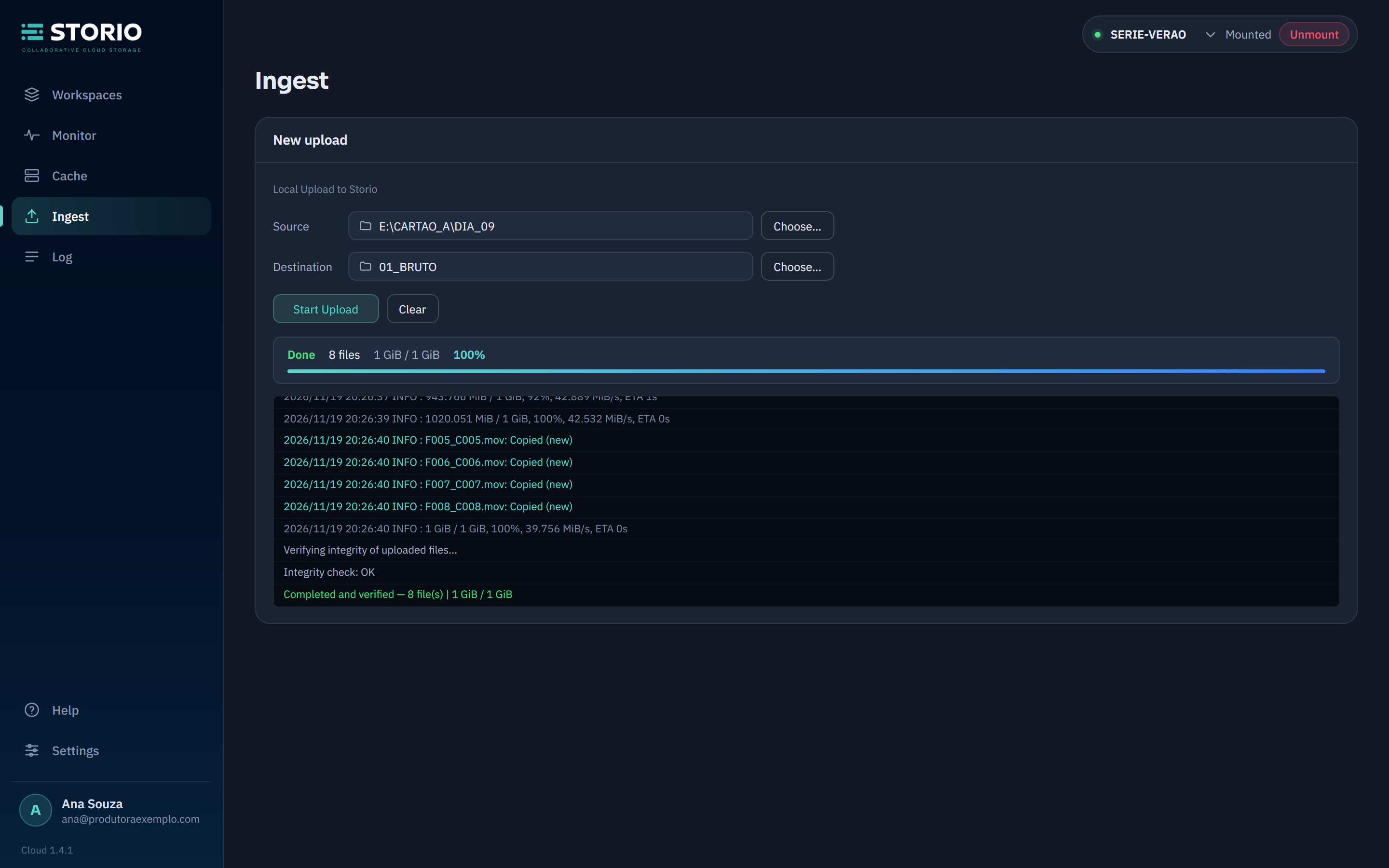
Only erase the source (the card or SSD) after you see "Completed and verified". If it says the check found differences or wasn't completed, upload again first.