

What's New
What's New in Storio
Four new ways for your team to get started on its own, get approvals faster, find any footage and spend less on archive.
Everything in your hands, no waiting on anyone
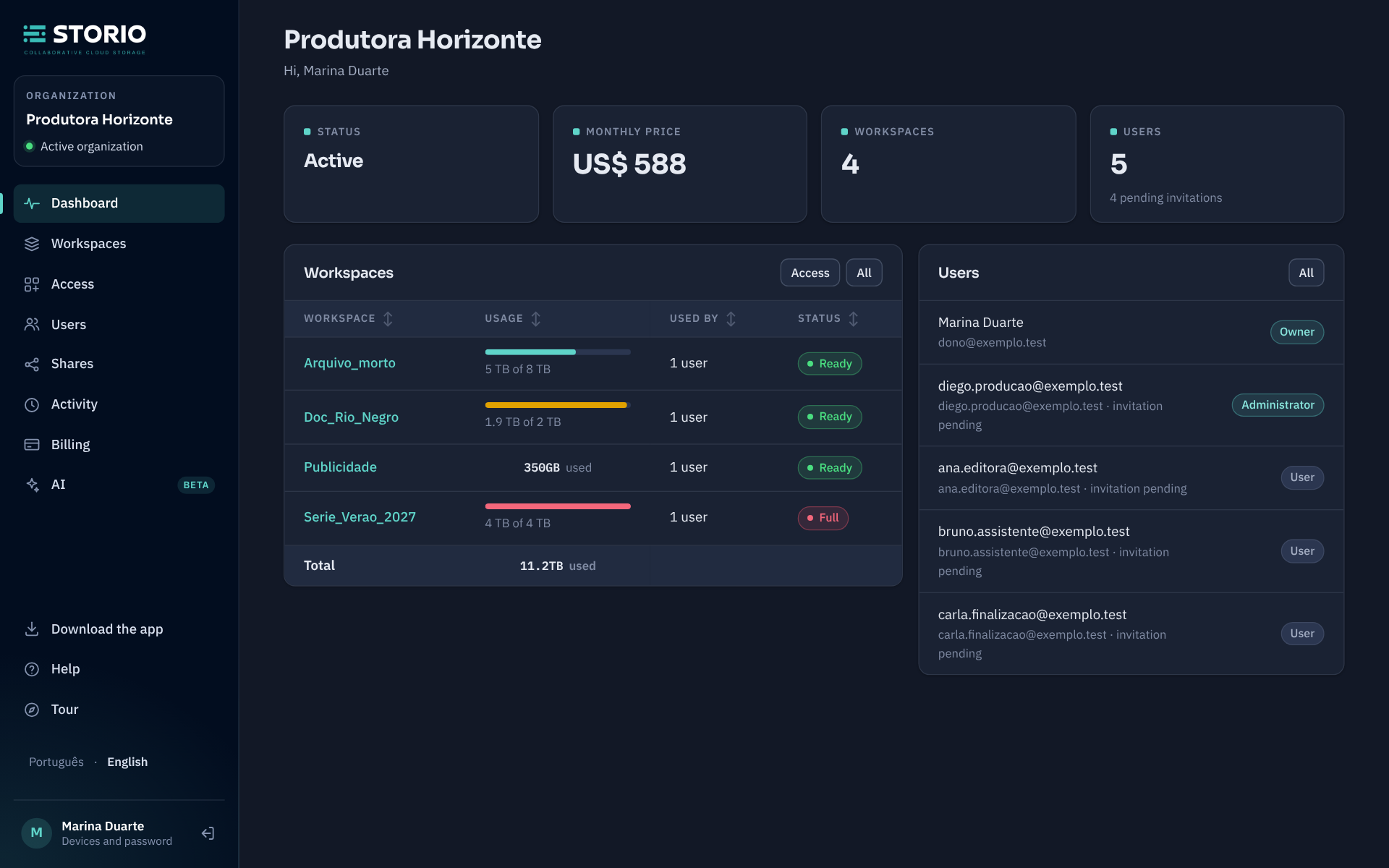
The new Storio dashboard
Now you handle everything yourself, in a few minutes: create your account, open workspaces, invite your team, decide who can access what and keep track of usage and billing in one place. No forms and no waiting for support.
How it works
- 1
Create your account and start using it right away.
- 2
Open workspaces and invite your team in a few clicks.
- 3
Keep track of usage and manage your subscription whenever you like, right in the dashboard.
Free for 30 days, no card required.
Client approval without the back-and-forth
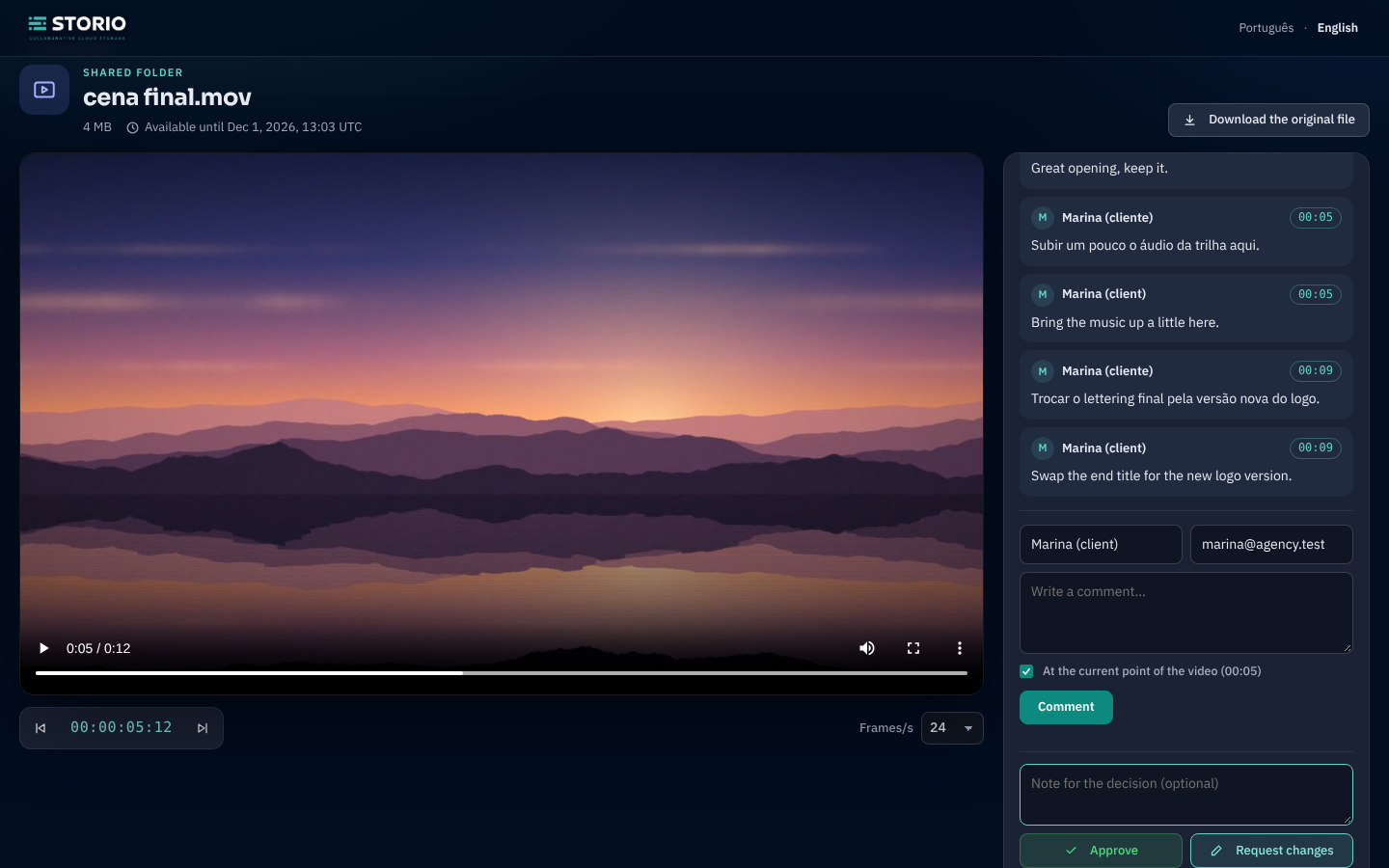
Video review and approval
No more videos sent by message and change lists by email. You send a link, your client watches right in the browser, comments on top of the video and approves with one click. Everything stays on record in one place.
How it works
- 1
Create the video link and send it to your client.
- 2
They watch and leave each comment at the exact moment of the change.
- 3
You're notified of every comment and when the video is approved.
Available to subscribers.
An assistant that knows your footage
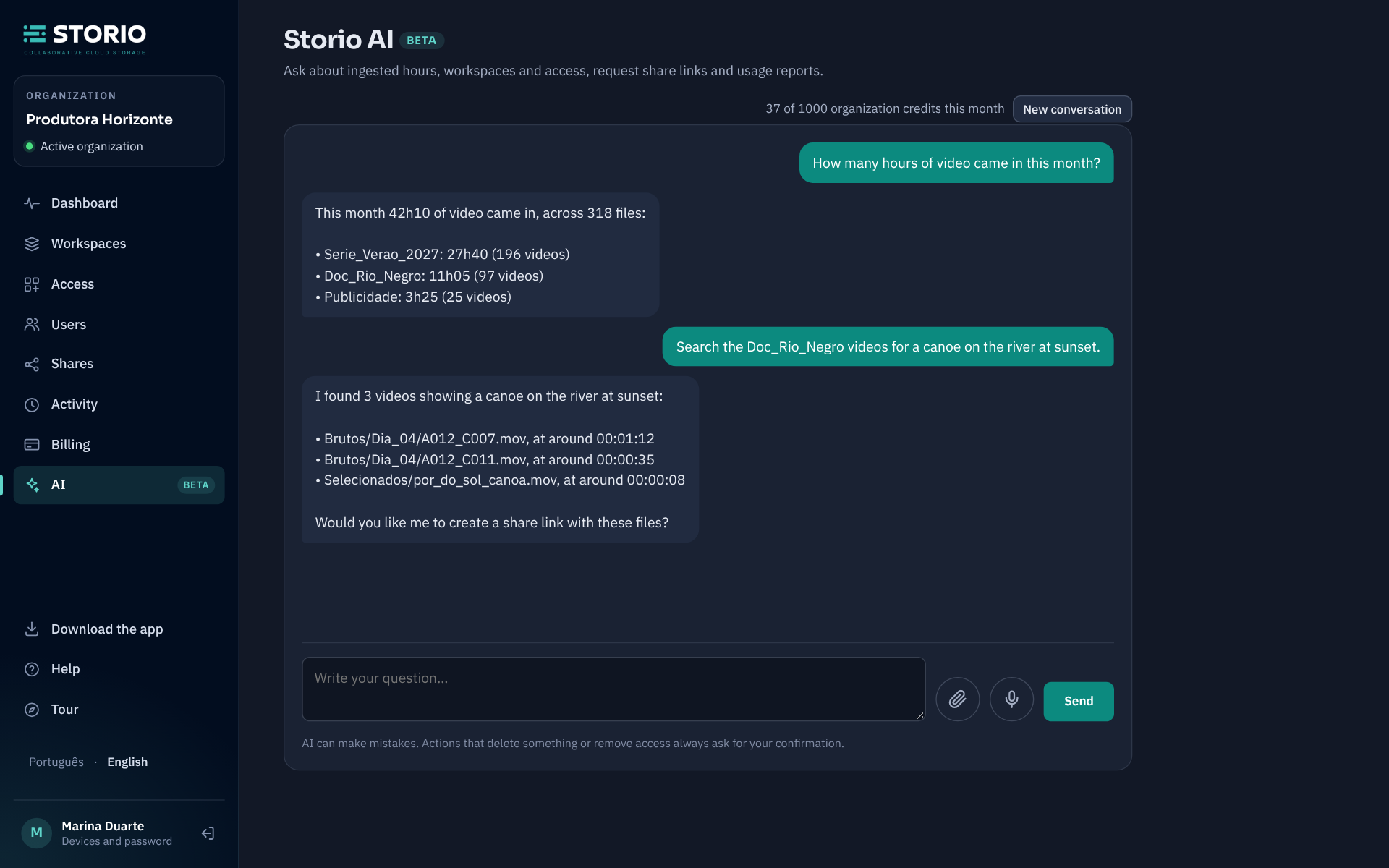
Storio AI
Ask the way you'd ask someone on your team. The AI finds scenes by what appears in the picture, tells you how many hours of footage came in, creates links and organizes access for you. In the dashboard, the app, WhatsApp and Telegram.
How it works
- 1
Open the AI in the dashboard, the app, WhatsApp or Telegram.
- 2
Type or say what you need, for example: “find the scenes with the canoe on the river”.
- 3
The answer comes right away. Important actions always ask for your confirmation.
The AI on your WhatsApp and Telegram too
Away from your desk? Talk to Storio AI on WhatsApp or Telegram, right from your phone, like a chat with your team. To turn it on, ask the AI in the dashboard: “send me the WhatsApp link” (or the Telegram one). The link arrives in your email and, with one tap, you're connected.
Included in your plan, at no extra cost for now.
Keep delivered work for less
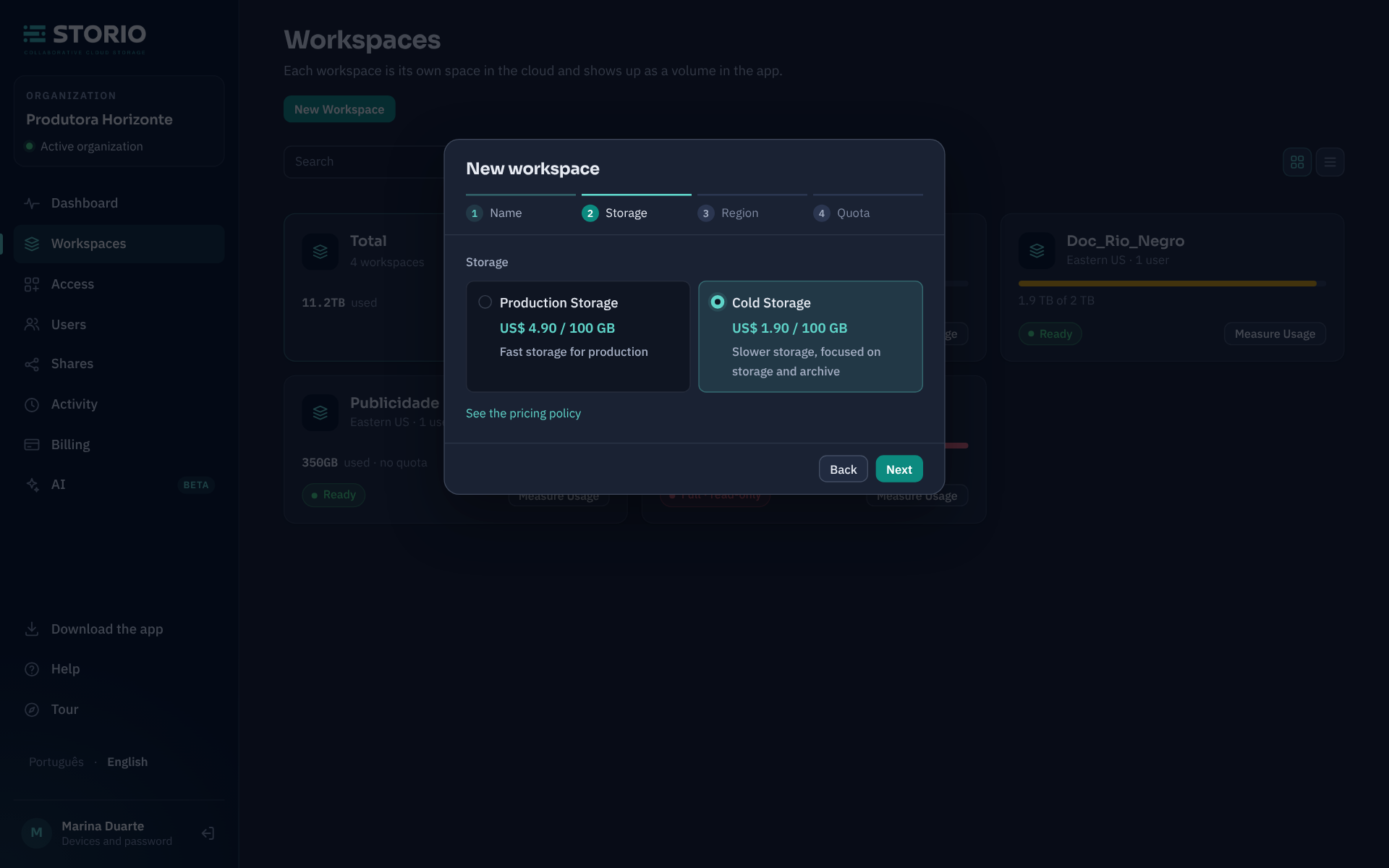
Cold Storage
A finished project doesn't need to take up your fastest space. With Cold Storage, your archive stays safe in the cloud for US$ 19 per TB per month, and your production storage stays free for the work in progress.
How it works
- 1
Create a workspace and choose Cold Storage.
- 2
Move your finished projects and archive material into it.
- 3
Need something back? Just download it: each month's download is included up to twice the space you have.
Available to subscribers.
Want to see it in action?
Try Storio free for 30 days, no card required.
Need help?
Talk to our specialized support team.