

With a share link, people who don't have Storio download a file or folder in their browser, with no account. For videos, they can also watch on the page itself, comment at an exact point in the video, and approve or request changes.
Sharing by link is only available to organizations with an active subscription. It's blocked during the free trial.
Create a link
- In the app, click the ⋮ menu of a file or folder and choose Share.
- Choose how long it lasts (1, 7 or 30 days) and, if you want, a password.
- Copy the link and send it.
Every link stops on its own after 30 days, and you can disable it earlier, in the app or the dashboard.
What the recipient sees
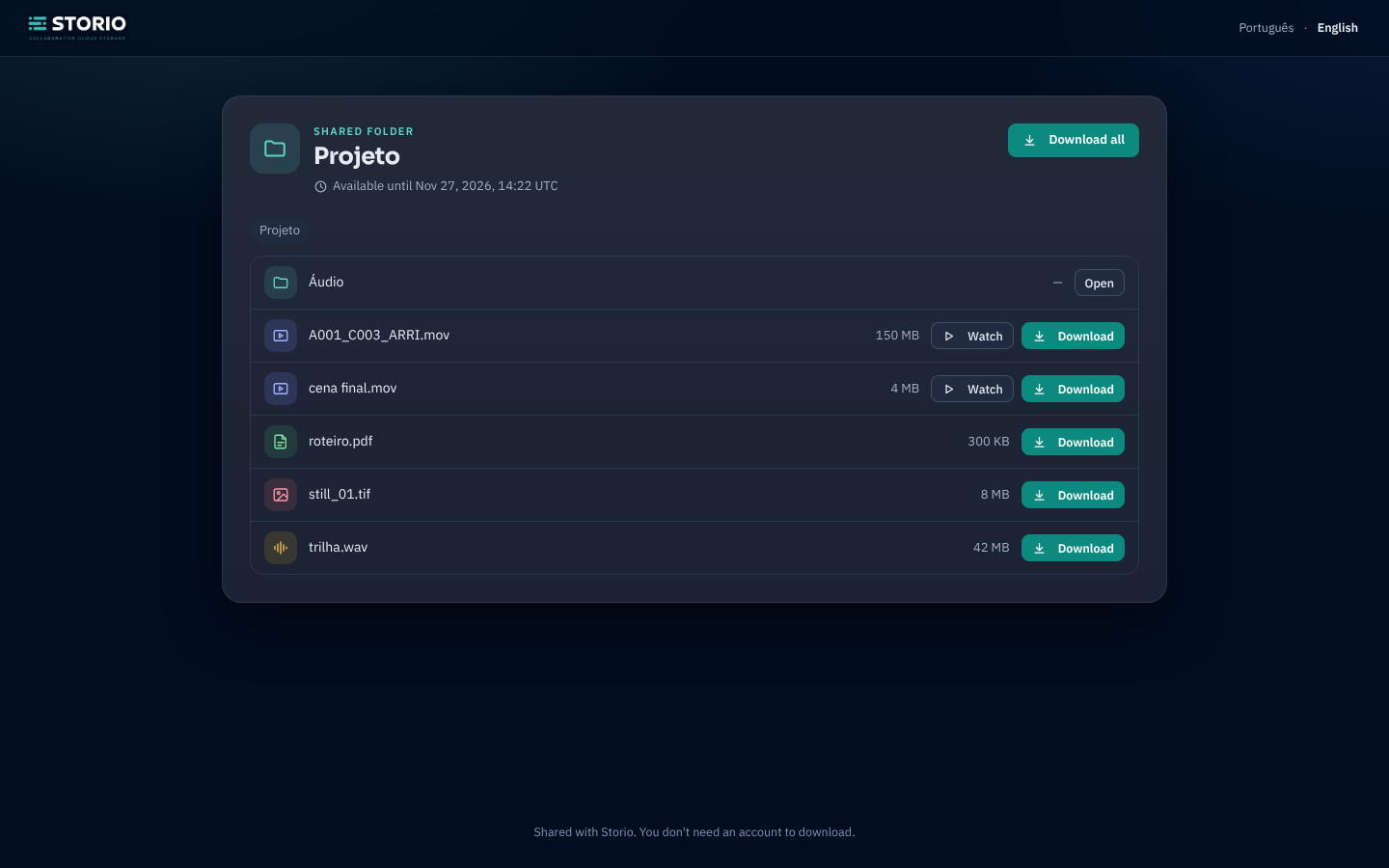
- Folder: the list of files and subfolders, with each size, and the Download all button.
- File: the name, size, expiry date and the Download button.
- Password-protected link: the person enters the password before seeing anything.
- System files such as
.DS_StoreandThumbs.dbdon't show up.
Watch and review a video
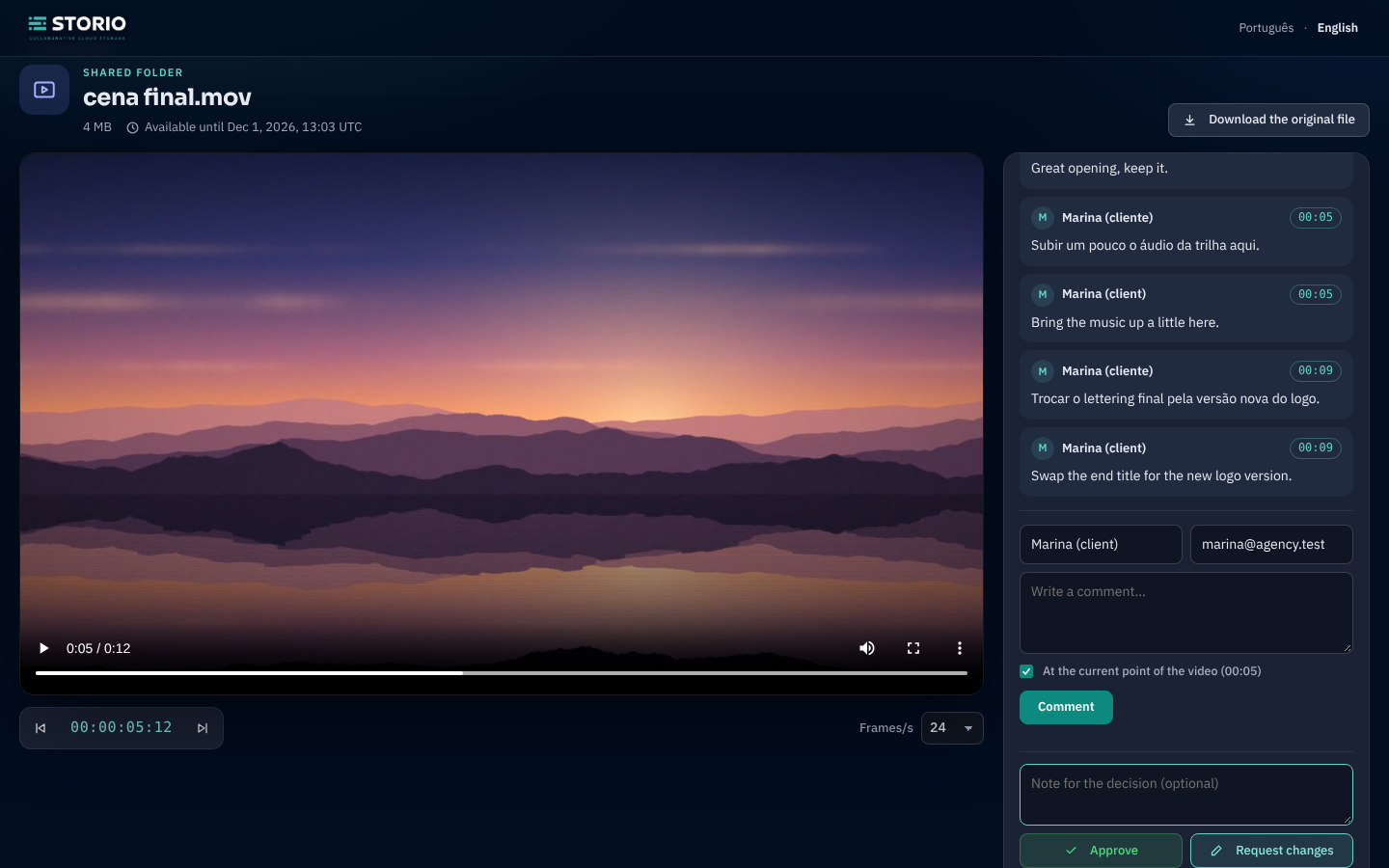
- Player
- The video plays right on the page, with full screen, volume and speed.
- Timecode
- Shows hours, minutes, seconds and frames. The ◀ and ▶ buttons (or the , and . keys) move one frame; choose the video's frames per second.
- Comment
- Pause at the spot and write: the comment is marked at that time. Clicking the time takes the video there.
- Approve / Request changes
- The decision is recorded with the reviewer's name and email, plus a note if they want.
- No account
- Reviewers only enter their name and email; the browser remembers both next time.
Formats and heavy files
- The browser plays H.264 and H.265 in MP4 or MOV, and WebM.
- ProRes, DNx and RAW files (ARRI, BRAW, R3D) don't play in the browser: the page says so and offers the original for download.
- When the video's bitrate is above 40 Mbps, the page warns that it may stutter. Camera originals are usually well above that.
For review, export an H.264 1080p version at 10 to 15 Mbps (the standard H.264 preset in Premiere and DaVinci Resolve works) and share that version. It plays smoothly on any regular connection.
For your team
- Whoever created the link gets an email after each round of comments and each decision.
- In Shares, the owner and admins see every active link in the organization. The Review column shows the comments and the latest decision and opens a page with everything that was said, with the times.
- Open share opens the link as the recipient sees it; Suspend disables it right away.
- Watching on the page doesn't count as a download.